- Status
- Active
- Platform
- iOS and Android
- Publisher
- HELPERG LLC
Focused software with a clear destination
The details on this page are taken from the public App Store listing (checked November 2026). Store listings change, so the store page is the final word on features and prices.
Verified availability
PDF Editor has verified active destinations for iOS and Android.
What PDF Editor does
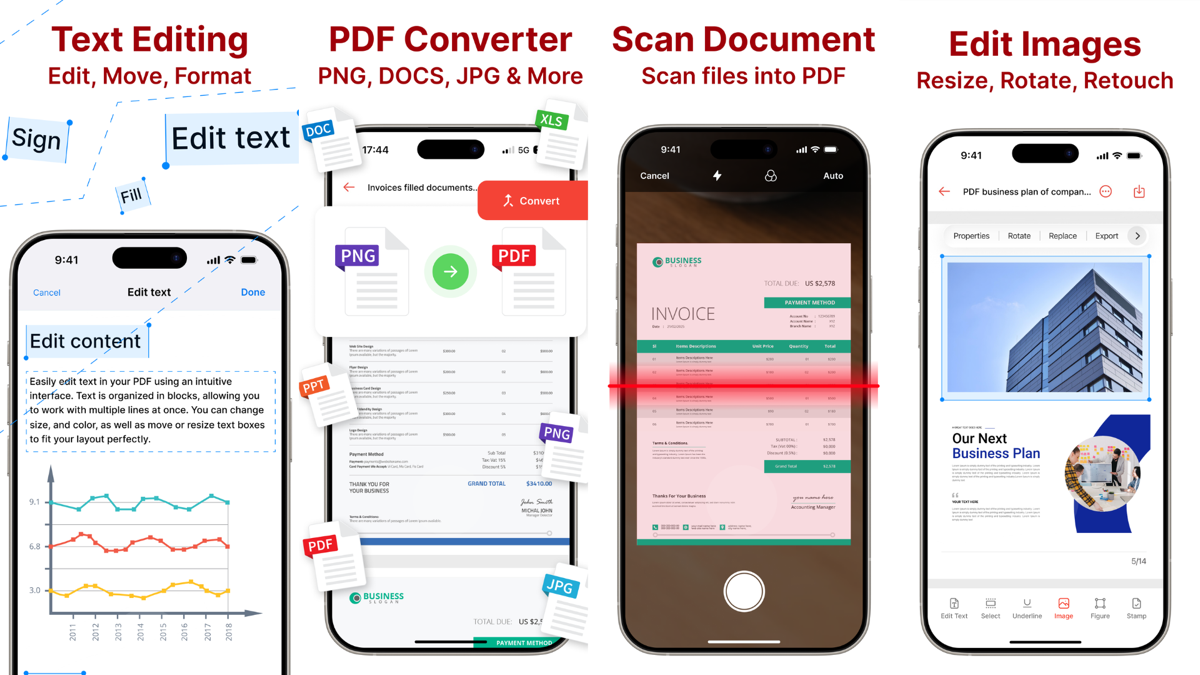
PDF Editor is HELPERG's document app for iPhone and iPad. According to its App Store listing it edits the text and images inside PDFs, annotates, signs, scans paper documents and converts between PDF and other formats — the jobs that usually need a computer. It is also available for Android on Google Play, and the same product offers browser-based PDF tools at pdfeditconvert.top.
What you can do with it
- Edit: change text and images directly in a PDF; highlight, underline and add sticky notes.
- Sign and fill: create an electronic signature once and reuse it across documents; fill in forms.
- Scan: photograph documents, books, IDs, passports and business cards with edge detection and clarity enhancement, saved straight to PDF.
- Convert: PDF to DOC, DOCX, JPG, PNG and CSV and back again, with OCR to pull text out of scans; turn photos into PDFs.
- Organise: create blank PDFs, combine several PDFs into one, and add, remove or reorder pages.
- Share: print, email, or send to cloud storage and messengers.
Signing a contract on your phone, step by step
- Open the PDF from Mail or Files in PDF Editor.
- Fill in the form fields, then add your saved signature where the document asks for it.
- Check every page, then share the signed PDF back by email — or send it by fax with FAX: Send from Phone if the other side still asks for one.
Free and Pro
The app is free to download. The listing names the features that need the Pro subscription: advanced PDF text editing, unlimited scanning, unlimited e-signatures and form filling, and unlimited conversions. The yearly plan is listed with a free trial; prices depend on the country.
Availability
- iPhone and iPad: iOS / iPadOS 13.0 or later (App Store category: Productivity). Android: on Google Play.
- Developer on the App Store: HRHELPERG LLC.
For step-by-step help, read how to edit a PDF on iPhone, on Android, and how to sign a PDF.
FAQ
Can I edit the text of a PDF on iPhone?
Yes. PDF Editor edits text and images directly inside the PDF; advanced text editing is part of Pro.
Can it convert a PDF to Word?
Yes. It converts PDF to DOC and DOCX, and also to JPG, PNG and CSV, and back to PDF.
Can I sign a PDF with it?
Yes. You create an electronic signature once and reuse it on any document; unlimited signing is part of Pro.
Does it work with scanned documents?
Yes. It scans with the camera and uses OCR to extract text from scanned pages.