PDF · English
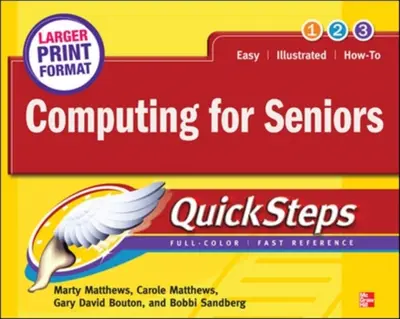
Computing for Seniors QuickSteps
Price and availability
$24.99
Available in: Andorra, Austria, Australia, Belgium, Bulgaria, Canada, Switzerland, Cyprus, Czechia, Germany, Denmark, Estonia, Spain, Finland, France, United Kingdom, Guernsey, Greece, Croatia, Hungary, Ireland, Isle of Man, Iceland, Italy, Jersey, Japan, Liechtenstein, Lithuania, Luxembourg, Latvia, Monaco, Malta, Netherlands, Norway, Poland, Portugal, Romania, Sweden, Slovenia, Slovakia, San Marino, United States, Vatican City, South Africa
Stores: US, UK, Canada, EU, Australia.
Sign in to buyThe price is re-checked by the server before payment.
For personal use under the eBook licence.
- Format
- DRM
- Not stated by the publisher
- Language
- English
- Publisher
- McGraw Hill LLC
- Published
- 22 March 2011
- ISBN
- 9780071740364
- Subjects
- Information technology: general issues, Ethical & social aspects of IT, Digital lifestyle, Internet guides & online services, Digital and Information technology: general topics, Digital and information technologies: social and ethical aspects, Digital Lifestyle and online world: consumer and user guides, Internet guides and online services
About this book
Step-by-Step, Full-Color Graphics!Take advantage of your computer's features and tools right away--the QuickSteps way. Color photos and screenshots with clear instructions make it easy to accomplish everything you want to do. Follow along and quickly learn how to navigate the Windows operating system; get online; use core programs such as Word, Excel, and Quicken; and secure your computer. Fun activities, such as genealogy, photo editing and management, social networking, and online dating are covered, plus you'll get tips for enjoying music, ebooks, and videos. Written by seniors for seniors, this practical, fast-paced guide helps you get the most out of your computer.The unique, oblong layout of the QuickSteps series mimics your computer screen, displays graphics and explanations side by side, and lays flat so you can easily refer to the book while working on your computer.Use these handy guideposts:Shortcuts for accomplishing common tasksPersonal insights from other seniorsNeed-to-know facts in concise narrativeHelpful reminders or alternative ways of doing thingsBonus information related to the topic being coveredErrors and pitfalls to avoid
Bibliographic data © Gardners Books Ltd.