PDF · English
Microsoft PowerPoint 365 - 2019
a QuickStudy Software Reference Guide
Price and availability
$9.99
Available in: Andorra, Austria, Australia, Belgium, Bulgaria, Canada, Switzerland, Cyprus, Czechia, Germany, Denmark, Estonia, Spain, Finland, France, United Kingdom, Guernsey, Greece, Croatia, Hungary, Ireland, Isle of Man, Iceland, Italy, Jersey, Japan, Liechtenstein, Lithuania, Luxembourg, Latvia, Monaco, Malta, Netherlands, Norway, Poland, Portugal, Romania, Sweden, Slovenia, Slovakia, San Marino, United States, Vatican City, South Africa
Stores: US, UK, Canada, EU, Australia.
Sign in to buyThe price is re-checked by the server before payment.
For personal use under the eBook licence.
- Format
- DRM
- Not stated by the publisher
- Language
- English
- Publisher
- BarCharts, Inc.
- Published
- 1 November 2019
- ISBN
- 9781423243861
- Subjects
About this book
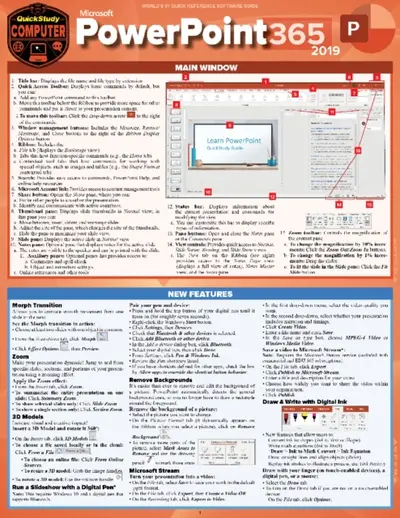
Quick and easy answers to the essentials of PowerPoint, handy enough to keep you working without Internet searches or long videos. Joan Lambert is an accomplished author and Senior Content Specialist creating courseware and training products that include the Microsoft Office suite. Also a LinkedIn Learning video author (formerly Lynda.com) and a Microsoft author, the ability to choose what is covered in this reference comes from a vast experience of training material creation. This expertise is streamlined through clear and succinct answers provided to help accomplish tasks. Also includes labeled screen grabs and icons in a color-coded design. Durable and portable, this digital guide can be stored and accessed quickly so you can find what you need fast. Corporations ranging from Ford Motor Company to the FBI have purchased QuickStudy software guides for their employee's workspace to improve productivity and reduce support calls. Digital guide includes: Main Window New Features Working Backstage with Presentations Giving Commands Creating a Presentation Setting the Slide Size Creating Slides Formatting Slide Backgrounds Adding & Formatting Text Adding Images, Shapes & Media Creating SmartArt Graphics Visualizing Data on Slides Managing Slides Storing Presentations in the Cloud Personalizing PowerPoint Getting Help
Bibliographic data © Gardners Books Ltd.