EPUB · English
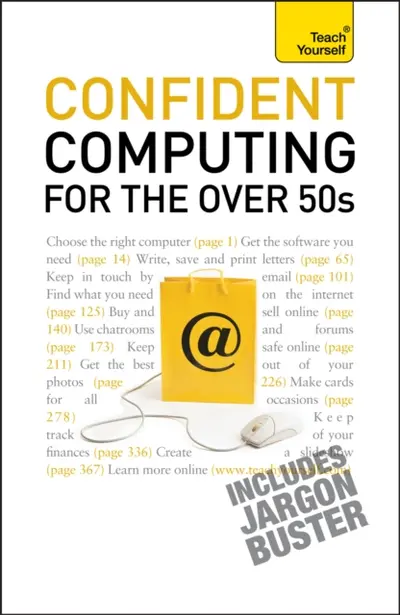
Confident Computing for the Over 50s
A non-technical practical guide for the late, absolute beginner
Price and availability
Not sold in this region
Available in: Andorra, Austria, Australia, Belgium, Bulgaria, Switzerland, Cyprus, Czechia, Germany, Denmark, Estonia, Spain, Finland, France, United Kingdom, Guernsey, Greece, Croatia, Hungary, Ireland, Isle of Man, Iceland, Italy, Jersey, Japan, Liechtenstein, Lithuania, Luxembourg, Latvia, Monaco, Malta, Netherlands, Norway, Poland, Portugal, Romania, Sweden, Slovenia, Slovakia, San Marino, Vatican City, South Africa
Stores: UK, EU, Australia. Not available in the United States store.
This title cannot be bought in this store yet: its supplier terms, territorial rights or price are still being confirmed.
For personal use under the eBook licence.
- Format
- EPUB
- DRM
- Not stated by the publisher
- Language
- English
- Publisher
- John Murray Press
- Published
- 26 March 2010
- ISBN
- 9781444129236
- Subjects
- Information technology: general issues, Internet guides & online services, Digital and Information technology: general topics
About this book
Do you feel that you have been left behind in the technological revolution? Assuming no prior knowledge of using a computer, this book is written in a practical, light-hearted and non-technical style to take the terror out of the technology.Bob Reeves approaches the subject in a highly accessible way, focusing on the computer applications of most interest to middle and third agers, including correspondence, photography, shopping online, personal budgets and researching your family history. It begins with the very basics and ends with an invaluable 'jargonbuster' glossary.The book is made up of a series of self-contained chapters, with the emphasis on what the computer is being used for, rather than the software needed. For example: rather than a chapter on 'word-processing', there is a chapter on 'letter writing'; rather than 'desktop publishing' there is 'making a newsletter' and 'making cards for all occasions'; rather than one on 'digital photography' there is ' getting photographs on to the computer' etc. There will be clear instructions supported with screenshots, tips and hints throughout.This approach sets it apart from other books on basic computer skills as it covers what you really want to do with your computer, breaking down any technical barriers and making the book totally relevant to the novice computer user.NOT GOT MUCH TIME?One, five and ten-minute introductions to key principles to get you started.AUTHOR INSIGHTSLots of instant help with common problems and quick tips for success, based on the author's many years of experience.TEST YOURSELFTests in the book and online to keep track of your progress.EXTEND YOUR KNOWLEDGEExtra online articles at www.teachyourself.com to give you a richer understanding of computing.FIVE THINGS TO REMEMBERQuick refreshers to help you remember the key facts.TRY THISInnovative exercises illustrate what you've learnt and how to use it.
Bibliographic data © Gardners Books Ltd.